
Copilot PC Insights Can Tell You Why Your Windows 11 PC Is Slow, But It's Also Part of the Problem
Copilot PC Insights lets Windows 11 users diagnose slowdowns via natural language, yet the AI tool itself uses up to 1GB of RAM.
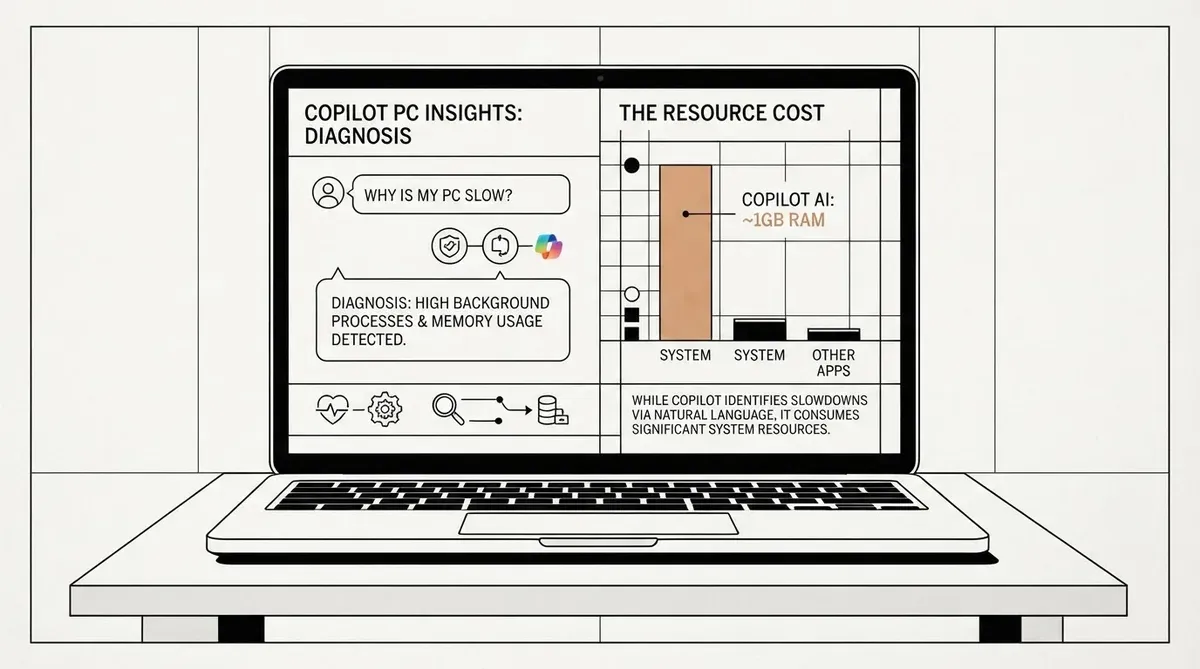
A tool that uses up to 1GB of system memory while sitting idle has been given the job of telling users what is bogging down their Windows 11 PC. Microsoft is testing a new feature called Copilot PC Insights that lets the AI assistant read live system data including CPU load, RAM consumption, GPU usage, available storage, and battery health, then answer performance-related questions in plain language. The rollout, which began in the United States earlier this month, positions Copilot as a conversational replacement for Task Manager, though early reports highlight a glaring contradiction: the diagnostic tool itself is a heavy resource consumer.
PC Insights works by tapping into Windows APIs after obtaining user permission. Once granted access, Copilot can pull real-time information about nearly every major hardware and system component. A user can ask whether the machine has enough free space for a 100GB game, what graphics card is installed, whether the antivirus is currently running, or what the current CPU usage looks like. Instead of digging through Settings menus or opening Task Manager, the answer arrives in a chat-style response written in everyday terms.
Microsoft has described the feature as an experimental opt-in capability for Copilot for Windows, and only a limited set of users in the US have received access so far. The company designed PC Insights to supplement and eventually, according to some reports, replace the traditional Task Manager interface for diagnosing performance bottlenecks.
The scope of data PC Insights can read is broad. Sources indicate Copilot can examine CPU, memory, and GPU utilization, total and available disk space, Wi-Fi and Bluetooth status, network adapter details, connected USB devices, printers, webcams, battery health percentage, antivirus status, and BIOS version. It can also calculate folder and download sizes on request.
Why the Irony Matters
PC Insights is read-only at launch. It can tell a user what is happening and suggest a direction for action, but it cannot close a runaway application, change a system setting, or perform any repair step automatically. That limitation means the feature is primarily an informational overlay on existing Windows diagnostics, useful for interpretation but not intervention.
The more immediate concern for anyone trying Copilot PC Insights is the assistant's own resource footprint. Microsoft ships Copilot for Windows as a full web application that bundles a private copy of Microsoft Edge. In testing, the app routinely consumed between 500MB and 1GB of RAM even when idle. It also appears as a browser process in Task Manager, meaning users who open Task Manager to investigate high memory usage may find Copilot itself near the top of the list.
This creates a situation where the tool meant to diagnose slowdowns can be a primary contributor to them. A user asking Copilot why their system feels sluggish might receive an answer that points to several culprits, without the assistant flagging its own memory usage as a factor. Microsoft has not indicated whether future updates will address this or whether PC Insights will gain write capabilities that allow it to act on its own diagnoses.
What You Can Ask Copilot PC Insights
Based on the examples found in testing, the natural-language queries Copilot PC Insights can handle include simple spec checks and performance questions. Users can ask about current CPU and RAM usage, available storage space, GPU model and status, battery health, connected peripherals, network state, and whether security software is active.
The assistant can also answer comparative questions, such as whether a 100GB game will fit on a drive that has 87GB free. It returns a verdict with the relevant storage figures, saving the user from checking drive properties manually.
Because PC Insights is still experimental, the range of queries it supports may expand over time. For now, it functions as a conversational front-end to system-level telemetry that has always been available through Windows, just not in a chat format.
Copilot PC Insights Availability and Rollout
The feature is being tested with a subset of Windows 11 users in the United States. Microsoft has not announced a wider release date or specified whether it will be tied to a specific Windows 11 version or update. Given the experimental label, general availability likely depends on feedback from the current testing phase.
Users who have access will find the feature inside the Copilot for Windows app. There is no standalone download or setting toggle outside of Copilot itself.
Why This Matters
PC Insights lowers the barrier to understanding what is happening inside a Windows 11 machine. Users no longer need to interpret Task Manager columns or Settings pages to get answers about system performance. But the feature also illustrates a broader tension in AI-assisted computing: the tools built to simplify system management can impose a performance cost of their own. Until Microsoft optimizes Copilot's memory footprint, the assistant risks being both the solution and a source of the problem it is intended to solve.
AI-generated image.
Related Articles
- Microsoft Pivots on Windows 11 AI Rebranding
- Microsoft 365 Copilot Redesign Cuts Loading Times in Half and Adds Work IQ
- Windows 11 Taskbar to Monitor Autonomous AI Agents
✔Human Verified
Researched and cross-referenced against primary sources by the Bytevyte editorial team.